Hackers try to trick a NoSQL database by using wrong or changed input. They do this to steal or change data. Prevention means following some smart rules—so that only safe, clean data enters the database. This keeps the system secure, and prevents sneaky attacks.
This guide will show you in very simple terms how anyone, even a complete novice, can keep their database safe. Read on to learn the tricks and tips to stay safe from NoSQL injections in 2025—and you’ll have fewer headaches once you learn them!
What Is NoSQL Injection Attack?
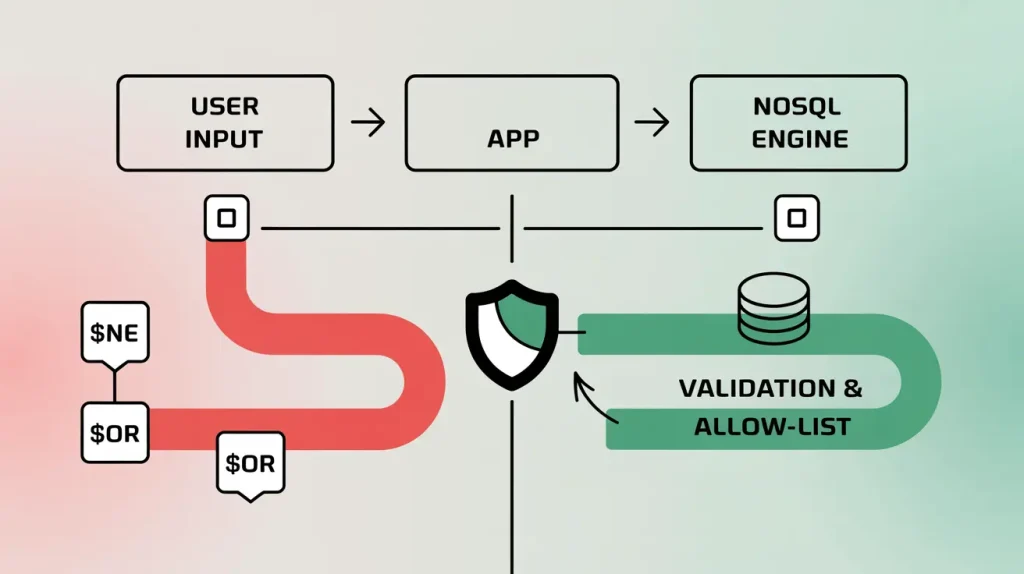
An attacker puts special operators or code into inputs. Your app uses these inputs to build NoSQL queries like MongoDB, Elasticsearch, or Redis. Many NoSQL APIs accept JSON and powerful query operators like $ne, $gt, $or, $regex, or JavaScript. Careless handling lets attackers change the query’s meaning. They can bypass logins, read data, or change records. (NoSQL injection, n.d.)
How NoSQL Injection Happens (quick examples)
- Operator injection (MongoDB):
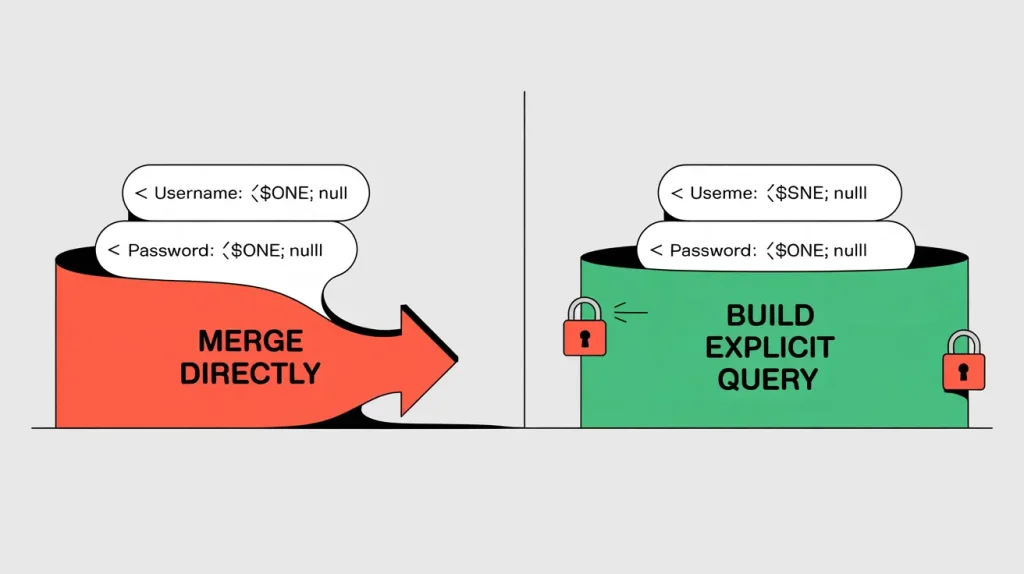
If you pass the request JSON straight into a query:
Here is a vulnerable way:
const user = await db.collection(‘users’).findOne({
username: req.body.username,
password: req.body.password
});
An attacker can send This For No Sql Injection:
{ “username”: { “$ne”: null }, “password”: { “$ne”: null } }
That turns the filter into “username != null AND password != null” and may match the first user → login bypass.
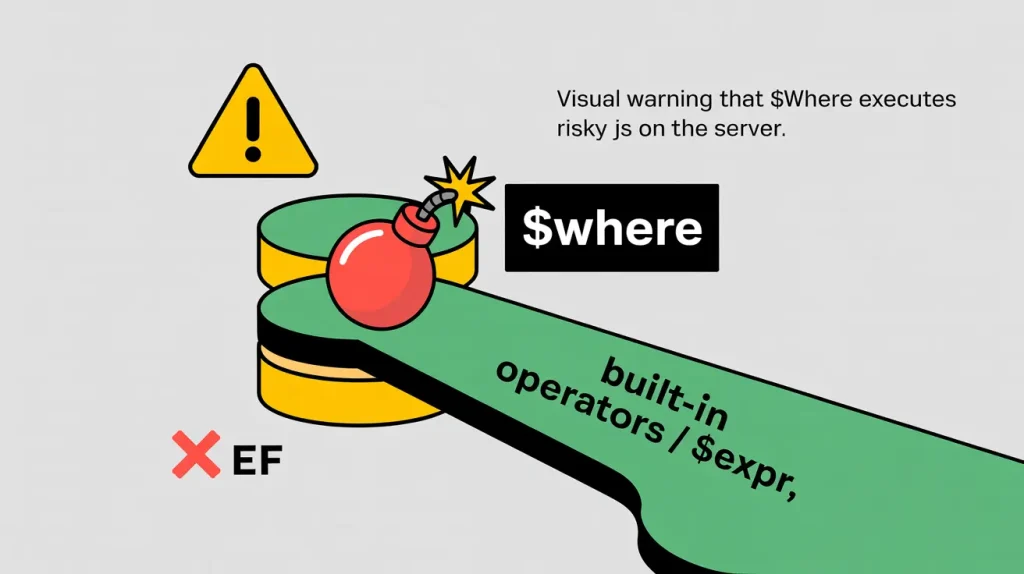
- $where / server-side JS (MongoDB):
If the app lets $where through, attackers can inject JS expressions (best practice today is to disable this entirely). (Nidecki & Andrzej, n.d.) - Regex / wildcard abuse:
Letting users supply raw regex (e.g., {“name”:{“$regex”:”.*”}}) can cause data exfiltration or performance issues (ReDoS). (ReDoS, 2025) - Query DSL abuse (Elasticsearch):
Passing user text straight into query_string can enable logic changes like admin OR *:*. (Corey & Pete, 2017)
A Safer Pattern
Fetch data by identity. Check it separately when someone logs in.
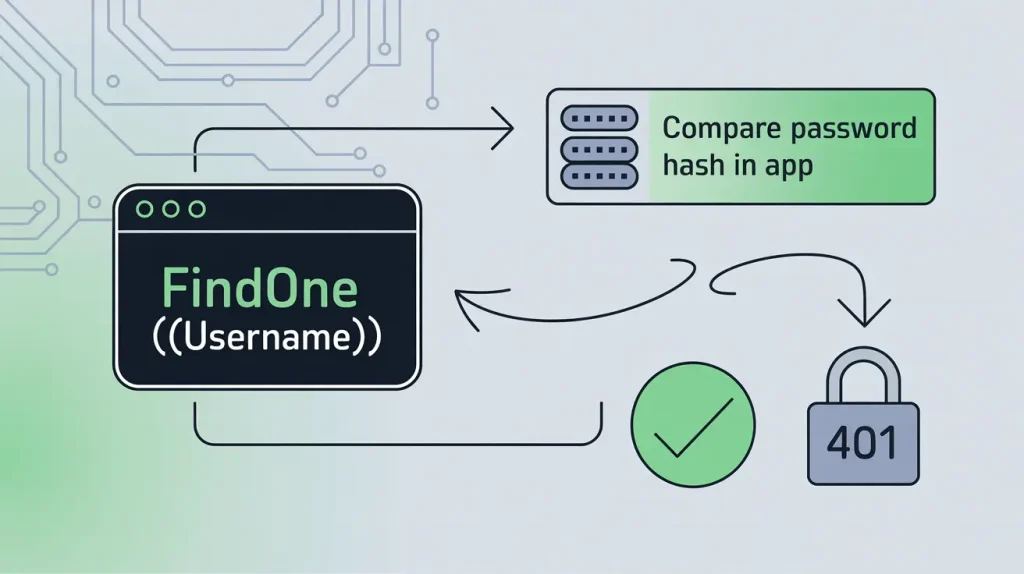
Safe Way:
const user = await users.findOne({ username: String(req.body.username) });
if (!user) return res.status(401).end();
const ok = await verifyPassword(req.body.password, user.passwordHash);
if (!ok) return res.status(401).end();
Why it is safe: You can control the query shape (only username). Also you can compare the password in the application code. But not inside the database filter.
Whitelist fields & build queries explicitly:
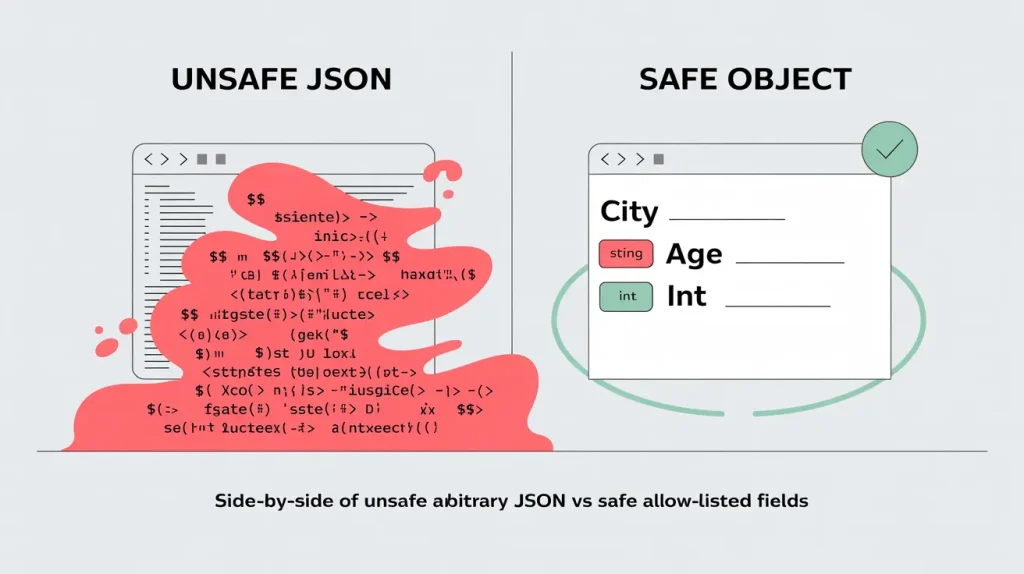
only allow certain search fields and force types
const allowed = [‘city’,’age’];
const q = {};
if (typeof req.body.city === ‘string’) q.city = req.body.city;
if (Number.isInteger(req.body.age)) q.age = req.body.age;
const docs = await customers.find(q, { projection: { name: 1, city: 1, age: 1 }});
Remember that never merge req.body directly into a query or update.
More Read: 20 Proven Steps to Recover from a Ransomware Attack and Safeguard Your Data
How NoSQL Injection Differs From SQL Injection
Both are the same class of bug—untrusted input reaching a query interpreter—just with different interpreters and payload shapes (“nosql injection vs sql injection” is mostly about format, not fundamentals).
| Aspect | NoSQL injection | SQL injection |
|---|---|---|
| Interpreter | NoSQL query engine interpreting JSON/DSL operators (e.g., MongoDB $ne, $or, $regex; Elasticsearch query DSL). Some engines historically allowed server-side JS. | SQL parser/executor interpreting string-based SQL statements across relational DBs (MySQL, Postgres, MSSQL, etc.). |
| Input format | Typically objects/JSON or domain-specific query DSL merged into filters/updates/projections. | Typically string fragments concatenated into SQL statements. |
| Common pitfalls | Passing req.body (or user JSON) directly into query filters/updates; allowing $-prefixed operators, $where/server-side JS, raw regex, or raw Elasticsearch query_string. | String concatenation to build queries; dynamic WHERE/ORDER BY; unsafely interpolated input in predicates or identifiers. |
| Primary defenses | Build queries explicitly (allowlist fields, coerce types); block operator keys from user input; disable server-side JS; validate with schema (Joi/Zod/JSON Schema); restrict regex; least-privilege DB role. | Parameterized queries / prepared statements (or safe ORM bindings); avoid string concat; strict input validation/allowlists; least-privilege DB role; limit dynamic SQL. |
Neutral takeaway: both fail for the same reason—unchecked user data shapes the query’s logic. Fixes focus on constraining inputs and keeping the interpreter from treating user data as instructions
Fast NoSQL Injection Prevention Checklist
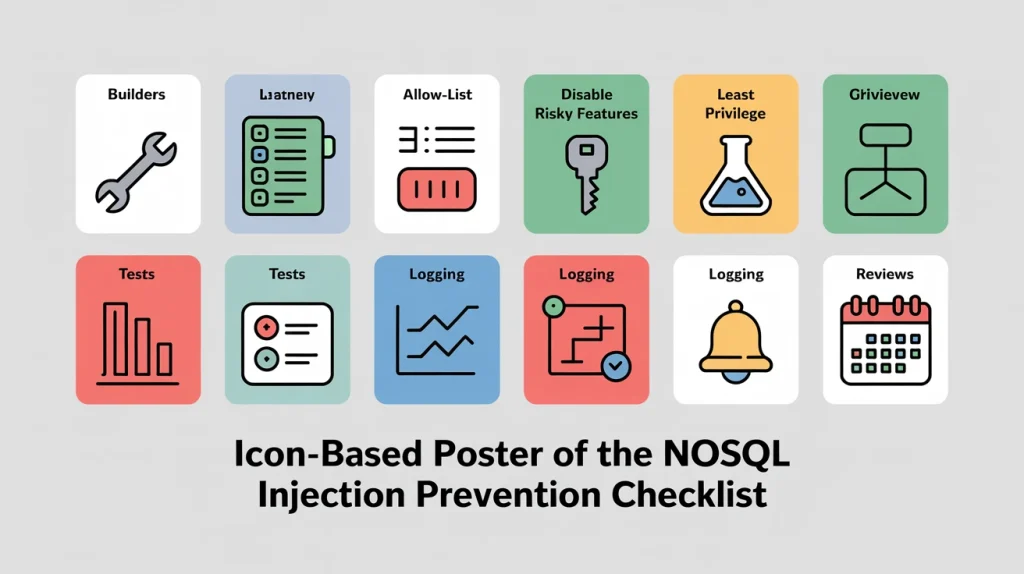
Use this nosql injection checklist to harden today:
- Placeholders & builders (never raw input → query)
- Build query objects explicitly. Remember do not merge
req.body/user JSON. - Use safe builders/ORMs with strict modes (e.g., enforce types, forbid unknown keys).
- Build query objects explicitly. Remember do not merge
- Allow-lists for fields & operators
- Permit only specific fields and simple operators (e.g.,
eq, exact match). - Block
$-prefixed keys and coerce types; reject anything unexpected.
- Permit only specific fields and simple operators (e.g.,
- Disable risky features
- Turn off server-side JS /
$where, raw regex/flags, and lenient query DSLs (e.g.,query_string). - Enforce schema validation (JSON Schema) at the DB layer.
- Turn off server-side JS /
- Least-privilege access
- Separate read vs. write roles; no admin creds in apps.
- Network-segment the DB; enable TLS; restrict IPs.
- Unit & property tests for query shape
- Add negative tests with operator-looking payloads (
{"$ne": null}, regex, arrays). - Property tests: user input must not alter the allowed query shape.
- Add negative tests with operator-looking payloads (
- Logging & detection
- Log/alert on blocked operators,
$where, oversized regex, and query-shape anomalies. - Rate-limit endpoints that touch search/filter.
- Log/alert on blocked operators,
- Periodic reviews
- Quarterly config/code review, dependency updates, and credential rotation.
- Re-run a DAST/SAST pass after major releases.
More Read: Building a Secure Remote Workforce: Cybersecurity Practices You Should Implement
Database-specific safe patterns
Controls vary by store—use these safe defaults.
MongoDB Injection Prevention (Node & Python)
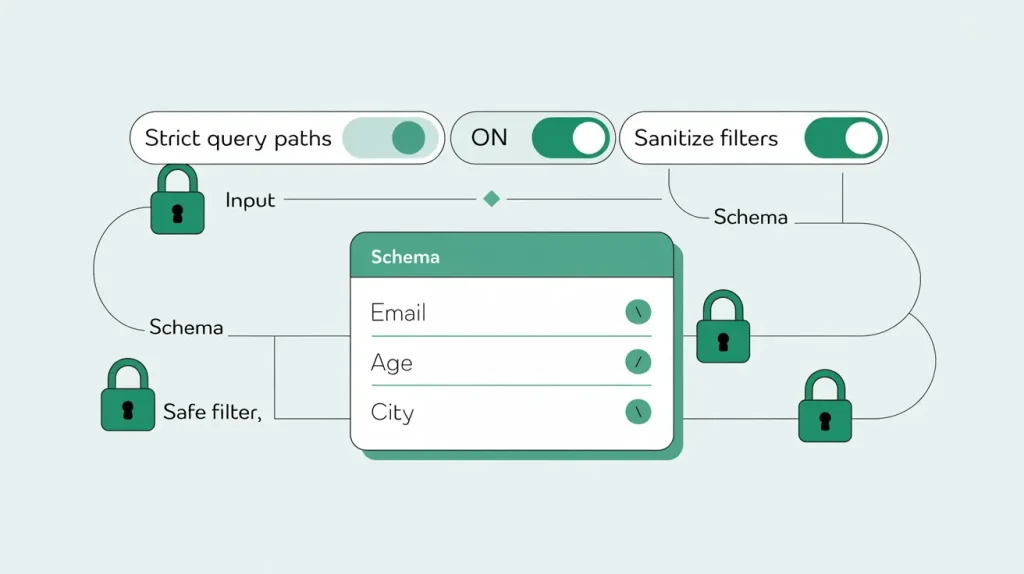
MongoDB Injection Prevention (Node & Python) explains how to protect your database from malicious inputs that try to alter queries.
It focuses on preventing MongoDB injections. Validate user data, enforce strict schema rules, and avoid dynamic query creation.
One way to protect is to turn off $where. This stops server-side JavaScript from running in MongoDB. It blocks code-based injections. A key defense is to disable $where. This stops server-side JavaScript execution in MongoDB. It blocks code-based injections.
In frameworks like Mongoose, you can enable strict mode. You should also sanitize queries. These steps help avoid mongoose injection issues.
Always validate fields, strip unknown keys, and log blocked attempts for visibility.
Do / Don’t (defense-only)
// ✅ Do (Node/Mongoose): typed schema + safe filters
import mongoose from 'mongoose';
mongoose.set('strictQuery', true);            // ignore unknown filter paths
mongoose.set('sanitizeFilter', true);         // wrap suspicious values in $eq

const User = mongoose.model('User', new mongoose.Schema(
  { email: String, age: Number, city: String },
  { strict: true }                            // drop unknown write fields
));

export async function findUsers({ email, minAge, city }) {
  const q = {};
  if (typeof email === 'string') q.email = email.trim().toLowerCase();
  if (Number.isInteger(minAge)) q.age = { $gte: minAge };
  if (typeof city === 'string') q.city = city.trim();
  return User.find(q).select('email age city -_id').lean();
}
// ❌ Don’t: pass client JSON directly into queries/updates
// Any $-operator in req.body would be executed by MongoDB.
await User.find(req.body);
- Mongoose
strictQuerylimits unknown filter paths;sanitizeFilterdefends against query selector injection. Mongoose+1
Python (PyMongo + Pydantic)
from pydantic import BaseModel, Field
from pymongo import MongoClient

class UserQuery(BaseModel):
    email: str | None = None
    min_age: int | None = Field(None, ge=0, le=120)
    city: str | None = None

def find_users(raw: dict):
    q = UserQuery(**raw)
    filt = {}
    if q.email: filt["email"] = q.email.strip().lower()
    if q.min_age is not None: filt["age"] = {"$gte": q.min_age}
    if q.city: filt["city"] = q.city.strip()
    return list(MongoClient().app.users.find(filt, {"_id": 0, "email": 1, "age": 1, "city": 1}))
Operator allow-list (example)
| Category | Allow | Notes |
|---|---|---|
| Comparison | $eq, $in, $gte, $lte | Keep $in arrays short. |
| Logical (server-only) | $and | Build server-side; don’t accept $or from clients. |
| Block | $where, raw $regex, $function, $accumulator | Disable JS; avoid unbounded regex. MongoDB+1 |
Field allow-list (example)
| Field | Type | Allowed ops |
|---|---|---|
email | string | $eq |
age | int | $eq, $gte, $lte |
city | string | $eq |
Avoid $where; restrict pipelines
- Disable server-side JS where possible:
--noscriptingorsecurity.javascriptEnabled: false. MongoDB - Build aggregation pipelines from an approved set (
$match,$project,$sort,$limit); never accept free-form stages from clients.
RBAC roles; least-privilege
- Use only the minimal built-in/custom roles your app needs; don’t give
dbAdmin/rootto app users.
Vendor docs: Server-side JS & disabling, JSON Schema additionalProperties: false, Mongoose strictQuery. MongoDB+2MongoDB+2
Snippet (3 lines)
Use builders → Allow-list → Disable $where
More Read: Bug Bounty Hunter Roadmap: How to Hack Legally & Earn Your First Reward Fast
Elasticsearch Query DSL Hardening
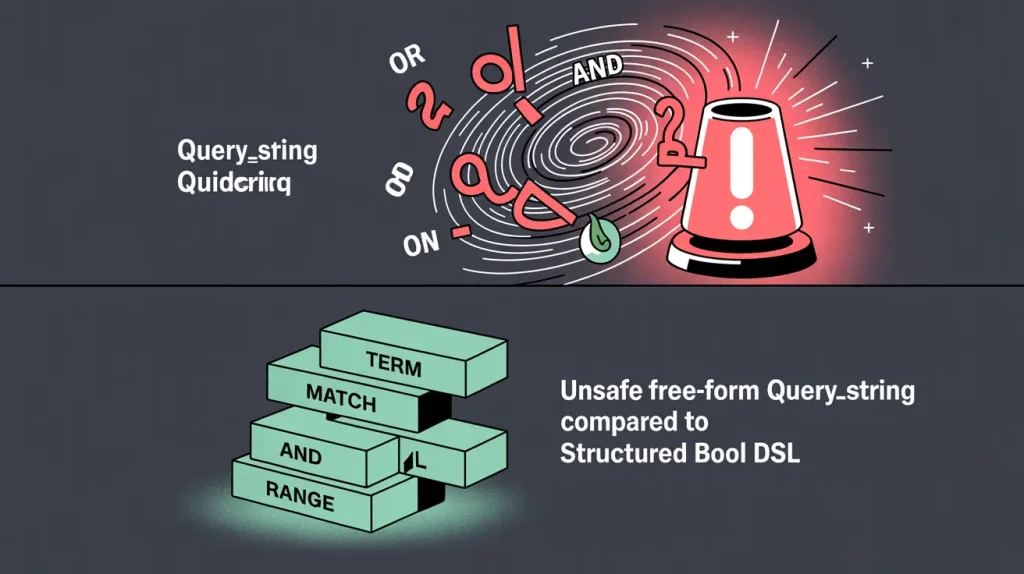
Always check field names and data types and do not accept JSON structures that are not allowed.
Use elasticsearch dsl validation to ensure that queries are in the correct format and do not contain any unexpected scripts or clauses.
Stop using dynamic scripting and templates that can be used for no sql injection.
Many tests and structured logging help to find and stop nosql injection patterns early.
You need to use elasticsearch dsl validation. This will stop elasticsearch query injection attempts. You also need to build queries safely.
Do / Don’t (defense-only)
// ✅ Do: server builds a typed DSL (no raw user JSON)
{
  "query": {
    "bool": {
      "must": [ { "term": { "status": "active" } }, { "match": { "city": "berlin" } } ],
      "filter": [ { "range": { "age": { "gte": 21 } } } ]
    }
  },
  "size": 25
}
// ❌ Don’t: feed user text to `query_string` (parses AND/OR/NOT, wildcards, etc.)
{ "query": { "query_string": { "query": "<user text here>" } } }
query_stringinterprets boolean operators and special syntax—don’t expose it to users. Prefermatch/term/rangein aboolquery. Elastic+1
Tiny server example (validate fields)
const ALLOWED_INDEXES = new Set(['customers']);
const ALLOWED_FIELDS = new Set(['status', 'city', 'age']);
const must = [];
if (typeof input.status === 'string' && ALLOWED_FIELDS.has('status')) must.push({ term: { status: input.status } });
if (typeof input.city === 'string' && ALLOWED_FIELDS.has('city'))   must.push({ match: { city: input.city } });
const filter = [];
if (Number.isInteger(input.minAge) && ALLOWED_FIELDS.has('age'))    filter.push({ range: { age: { gte: input.minAge } } });
Vendor docs: query_string; match/DSL builders (see official refs and typed builders for your language). Elastic+1
Firebase/Firestore Security Rules (NoSQL Injection)
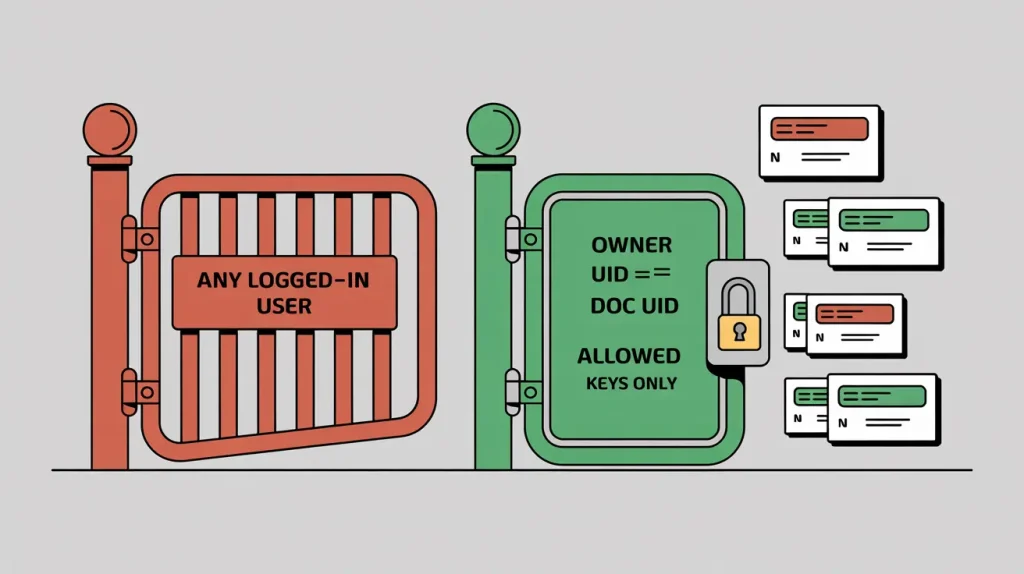
This topic is about keeping your Firebase database safe from Nosql injection attacks.
It teaches you how to write clear and strong Firestore security rules so that only users can view or modify data they are authorized to.
Always check that users only read or write their own data — for example, request.auth.uid == resource.data.userId.
Use simple Firebase rule examples to test your setup, such as blocking writing to other users’ documents.
Never trust user input; always validate fields and types before saving. Turn on logging to quickly identify unknown or blocked requests.
By following these Firestore rules-based security steps and examples, you can prevent Nosql injections and keep your app’s data safe and clean.
Bad → Good rules (diff)
- service cloud.firestore {
-   match /databases/{db}/documents {
-     // ❌ Any logged-in user can read/write everything
-     match /{document=**} {
-       allow read, write: if request.auth != null;
-     }
-   }
- }
+ service cloud.firestore {
+   match /databases/{db}/documents {
+     // ✅ Only the owner can read/write their doc; validate fields
+     match /profiles/{uid} {
+       allow read: if request.auth != null && request.auth.uid == uid;
+       allow create, update: if request.auth != null
+         && request.auth.uid == uid
+         && request.resource.data.keys().hasOnly(['email','age','city']);
+     }
+   }
+ }
- Firebase reminds that
auth != nullalone is not sufficient—narrow with conditions (owner checks, field validation). Client auth ≠ authorization; Rules are the authorization gate. Firebase - Test your rules with the Emulator before deploy. Firebase
Vendor docs: Getting started & overview; writing conditions; field-level rules; testing with the Emulator; note that server SDKs bypass Rules (use IAM). Firebase+4Firebase+4Firebase+4
DynamoDB Expressions & IAM
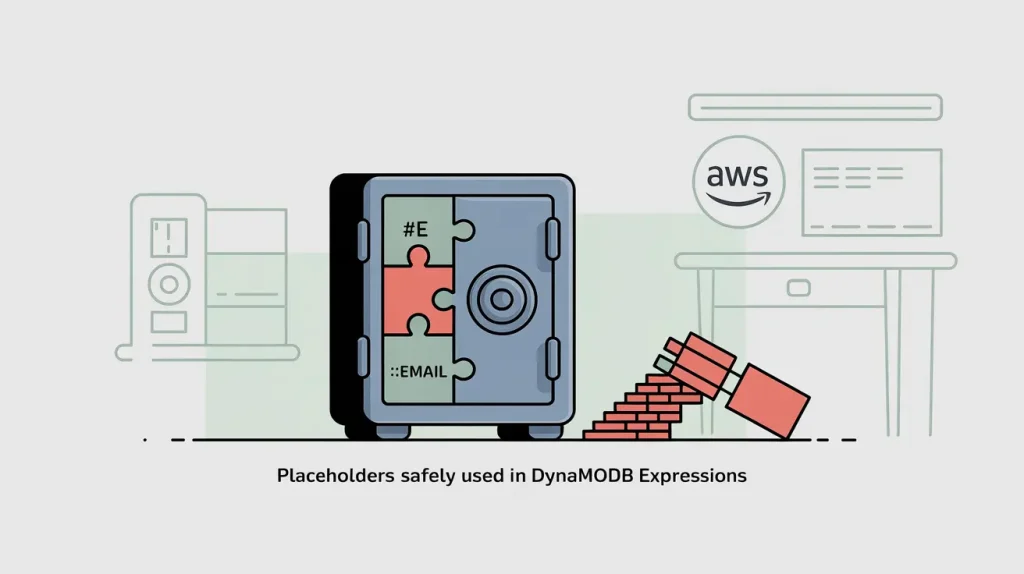
This topic explains how to keep your DynamoDB database safe from nosql injection attacks.
This shows how to use DynamoDB expression attribute values correctly. It separates user input from query logic.
Never build query strings by hand — always use placeholders like :val1 to stop dynamodb injection prevention issues.
Check and clean user inputs before they reach the database.
Use IAM policies to ensure that users can only read and write their own objects. Also checks to ensure that extra operators or insecure keys are no allowed.
Follow these steps for DynamoDB expression attribute values and to prevent injection. They help protect against NoSQL injections and keep DynamoDB secure.
Do / Don’t (defense-only)
// ✅ Do: always use placeholders in Expressions
const params = {
  TableName: 'Users',
  KeyConditionExpression: '#e = :email',
  ExpressionAttributeNames:  { '#e': 'email' },
  ExpressionAttributeValues: { ':email': inputEmail }
};
docClient.query(params);
// ❌ Don’t: interpolate raw user input into expression strings
const expr = `email = '${inputEmail}'`; // unsafe and brittle
- Use ExpressionAttributeNames and ExpressionAttributeValues in all expressions. AWS Documentation
- Lock down IAM: table/GSIs scoped, and (if possible) condition keys (e.g., restrict
partition-key/begins_with). AWS Documentation
Vendor docs: Expression attribute names/values; IAM/least-privilege best practices. AWS Documentation+1
Redis Do’s and Don’ts Guide
Do / Don’t
# ✅ Do: use ACLs with scoped key patterns and command categories
ACL SETUSER app on >pass ~app:user:* +get +set
# ❌ Don’t: run with default user +@all in production
Docs: Redis ACL concepts & commands. Redis+1
CouchDB Best Practices and Pitfalls
Do / Don’t
// ✅ Do: gate writes in validate_doc_update
function (newDoc, oldDoc, userCtx) {
  if (newDoc.type !== 'profile') throw({forbidden: 'type required'});
  if (typeof newDoc.email !== 'string') throw({forbidden: 'email required'});
}
// ❌ Don’t: accept arbitrary fields/types in client writes
Docs: validate_doc_update in design docs. docs.couchdb.org+1
Safe testing workflow (no exploit payloads)
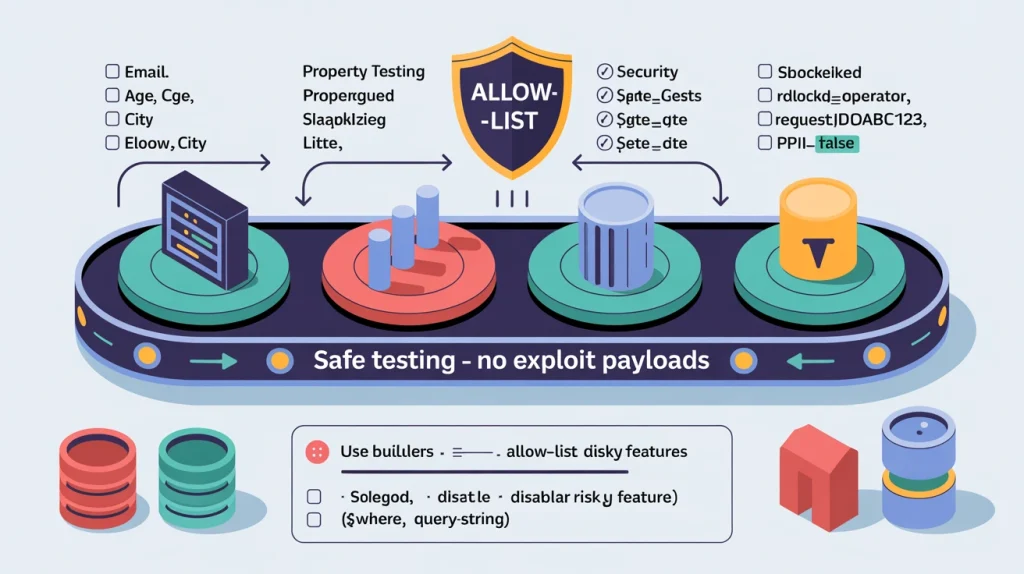
A concise testing approach that verifies your NoSQL injection query builders never introduce unexpected operators or fields, using unit, golden and property tests.
It ensures only values change while query shape (keys/operators/projections) is locked and coerced.
Negative tests run on emulators / RBAC to confirm cross-user and admin-path denials.
Logging checks make sure suspicious inputs create structured events. These events do not include personal data. They include things like blocked_operator and request IDs.
Configured allow-lists for fields/operators and dropping unknown keys are the core defenses.
Purpose: Document a repeatable nosql injection testing checklist to help teams test no sql injection safely.
Follow this checklist to validate builders, enforce rules, and log attempts—test nosql injection safely, without exploit payloads.
- Unit tests around query builders
- Golden tests for typical inputs; lock shape (keys/operators) and projections.
- Property tests: only values change
- Randomize valid values and ordering; assert the builder’s shape is invariant and types are coerced.
- Negative tests for Rules/IAM
- Firestore Rules Emulator denies cross-user access; DynamoDB IAM denies writes outside allowed PK/SK; Mongo roles block admin paths.
- Logging asserts
- Verify that suspicious/blocked inputs trigger structured logs (no PII), with event names (e.g.,
blocked_operator) and request IDs.
- Verify that suspicious/blocked inputs trigger structured logs (no PII), with event names (e.g.,
Pseudocode: Assert No New Operators Appear In The Final Query
# Given: buildQuery(userInput) -> final DB query object
# Configured allow-lists for your service (kept small and explicit)
ALLOWED_FIELDS = {'email', 'age', 'city'}
ALLOWED_OPERATORS = {'$eq', '$in', '$gte', '$lte'}  # extend carefully

function keysDeep(obj):
    for (k, v) in obj.items():
        yield k
        if isObject(v): yield* keysDeep(v)

function shapeOf(obj):
    # Replace concrete values with type tokens to compare structure only
    if isDict(obj):
        return { k: shapeOf(v) for (k, v) in obj.items() }
    if isList(obj): return ['<LIST_ITEM>' for _ in obj]  # length matters if you care
    if isNumber(obj): return '<NUMBER>'
    if isString(obj): return '<STRING>'
    if isBool(obj):   return '<BOOL>'
    return '<NULL_OR_OTHER>'

property "no new operators; only values change":
  forAll validUserInputs A, B with same key set:
    Q1 = buildQuery(A)
    Q2 = buildQuery(B)

    # 1) No unexpected $-operators
    for k in keysDeep(Q1):
      if k.startsWith('$'):
        assert k in ALLOWED_OPERATORS

    # 2) No unexpected top-level fields
    for k in Q1.keys():
      if not k.startsWith('$'):
        assert k in ALLOWED_FIELDS

    # 3) Shape is invariant across different values
    assert shapeOf(Q1) == shapeOf(Q2)

    # (Optional) Unknown fields in input are dropped
    A_with_unknown = A + {"unknownField": "ignored"}
    Q3 = buildQuery(A_with_unknown)
    assert "unknownField" not in keysDeep(Q3)
Frequently asked questions
Is NoSQL Injection vulnerable like SQL?
Yes. Both are the same class of bug: untrusted input reaching a query interpreter. SQL uses strings; NoSQL often uses JSON/DSL. The fix is identical in spirit—constrain inputs and control query construction.
How To Prevent NoSQL Injection Quickly?
Use three methods: builders, allow-list fields and operators, and disable risky features like $where, inline scripts, and query_string. Add database users with least privilege. Add validation to the schema. Add logging for blocked operators.
Is $where safe in MongoDB?
No. $where executes server-side JavaScript—risky and slow. Disable/avoid it and express logic with $expr and built-in operators or aggregation stages you build server-side.
Can Elasticsearch be injected via scripts?
Yes, if you expose inline scripts or query_string to users. Prefer typed DSL (bool + term/match/range), allow-list fields, and permit only vetted stored scripts—never raw user JSON.
Are Firebase Rules enough without server checks?
Rules give permission. They do not check business logic or data quality. Clients being authenticated ≠ authorized. Keep Rules strict, test in the Emulator, and still validate on the server; note server SDKs can bypass Rules via IAM.
How do I validate user-provided fields safely?
Use typed schemas (Mongoose, Pydantic, Zod/Joi). Allow-list fields/operators, coerce types, enforce lengths/patterns, and reject unknown keys—especially any starting with $. Only then build the query object on the server.
Case study (brief, defense-only)
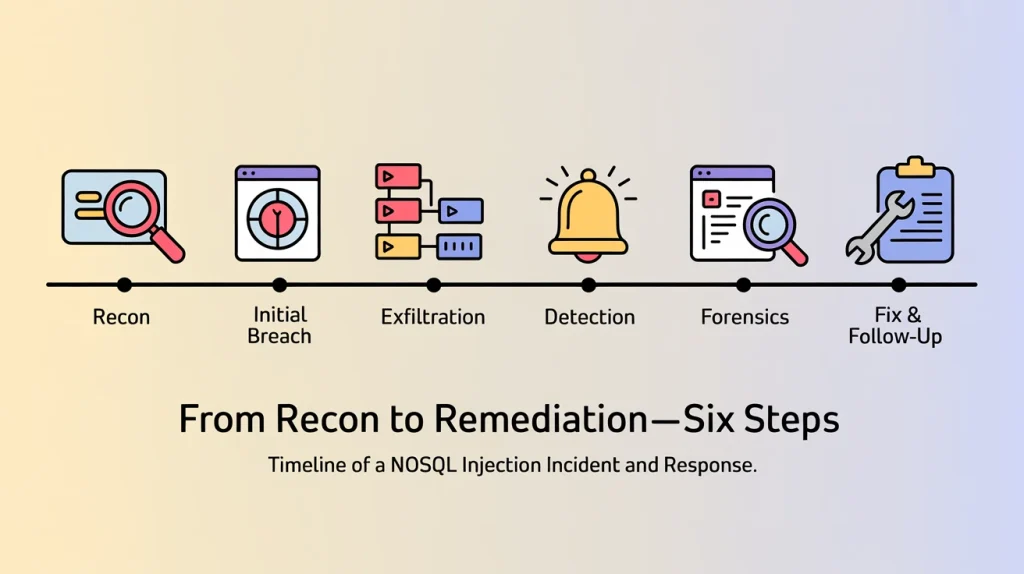
Timeline (6 lines)
- Recon: Attacker probes a public search/login API; verbose errors hint at the datastore and query shape.
- Initial breach: Unsanitized parameter is merged into a query/filter; logic is altered (injection) and access is gained.
- Exfiltration: Automated requests enumerate and pull PII; permissive DB role allows broad reads.
- Detection: Spike in atypical queries triggers alarms; endpoint is isolated and keys are rotated.
- Forensics: Code uses string/JSON pass-through (no builders), no field/operator allow-list, risky features left enabled.
- Fix & follow-up: Hotfix switches to builders, strict schemas, and least-privilege; tests/logging added; postmortem assigns owners.
- Ship the trifecta: Use builders → Allow-list → Disable risky features (
$where, inline scripts,query_string). - Typed schemas everywhere: Mongoose/Pydantic + DB-side schema validation to reject unknown keys.
- Least-privilege by default: Separate read/write roles; scope credentials; restrict networks.
- Lock the query shape in CI: Unit + property tests ensure only values vary, never operators/fields.
- See the blasts early: Structured logs, rate limits, and alerts on blocked operators and query anomalies.
- Review regularly: Quarterly code/config reviews, dependency updates, and re-run DAST/SAST after major releases.
- WAF is a seatbelt, not the brakes: Keep it on, but rely on code-level defenses first.
Conclusion & next steps
Modern NoSQL injection is powerful—but safe by design only if you apply the three core defenses:
- Use builders (never pass raw user JSON/strings into queries).
- Allow-list fields & operators (constrain shape; coerce types).
- Disable risky features (
$where, inline scripts,query_string) and run least-privilege.
Next steps
Takeaways (map to the checklist)
- Run a quick audit: search for
find(req.body)/query_string/$whereand replace with safe builders. - Add unit + property tests that lock query shape; turn on structured logging for blocked operators.
- Review RBAC/IAM for least privilege and rotate credentials.